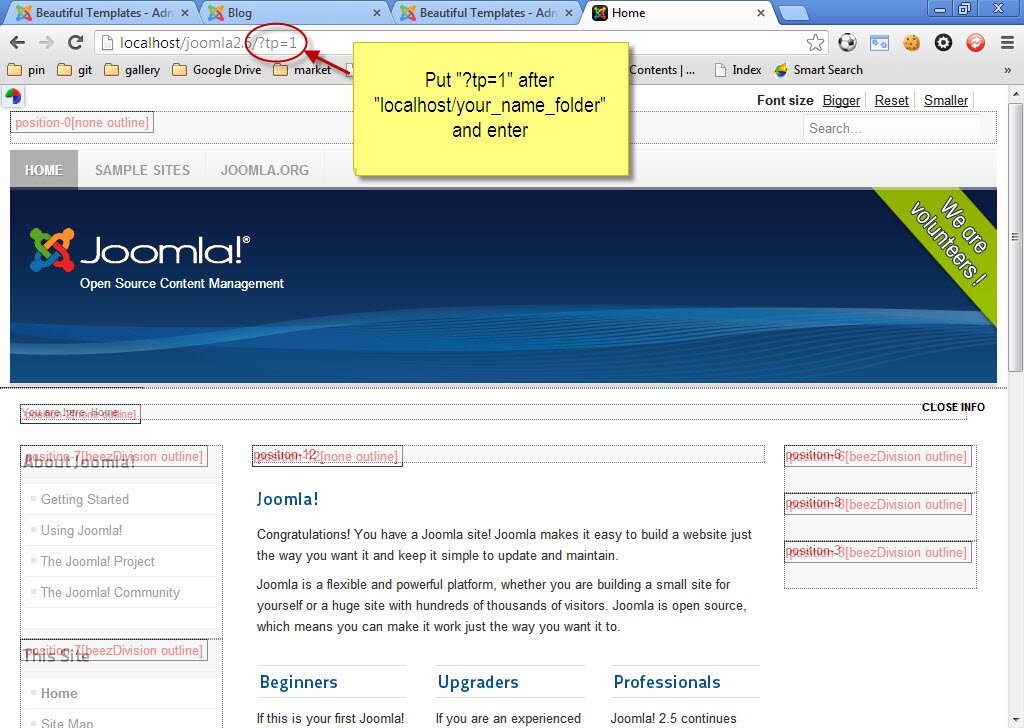
How to see place of modules in templates with Joomla 2.5
As we know if you want to see places of each modules in Template, you just need to put "?tp=1" after domain name. That will help you to arrange easily place of each module but we do not know how to do this for Joomla 3.1, so please read carefully these directions with illustrations as below:
Step 1: Log in
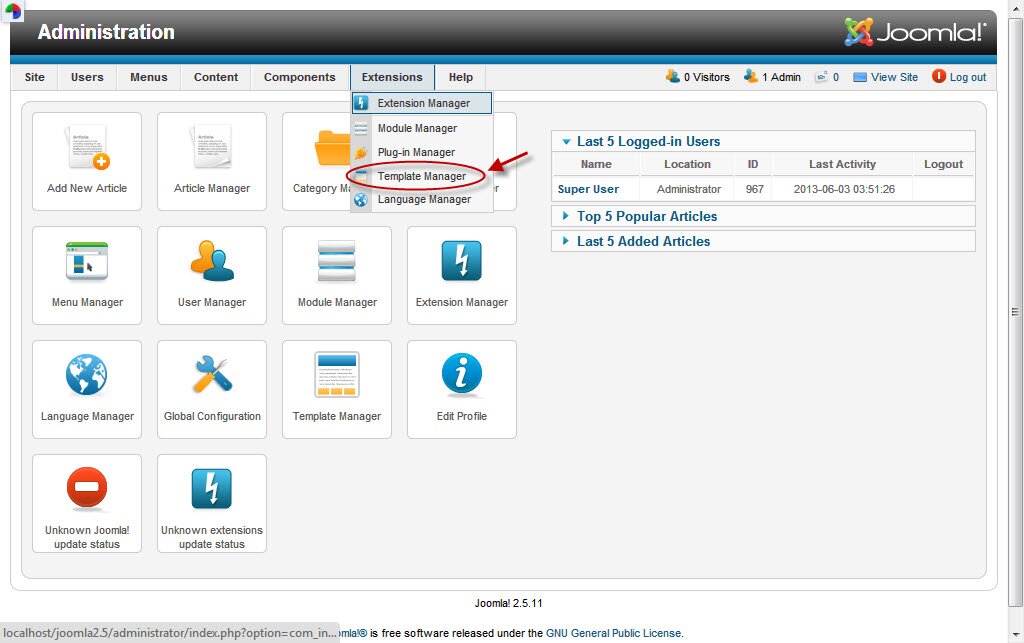
Step 2: Look at the menu and click "Extension" -->Template manager
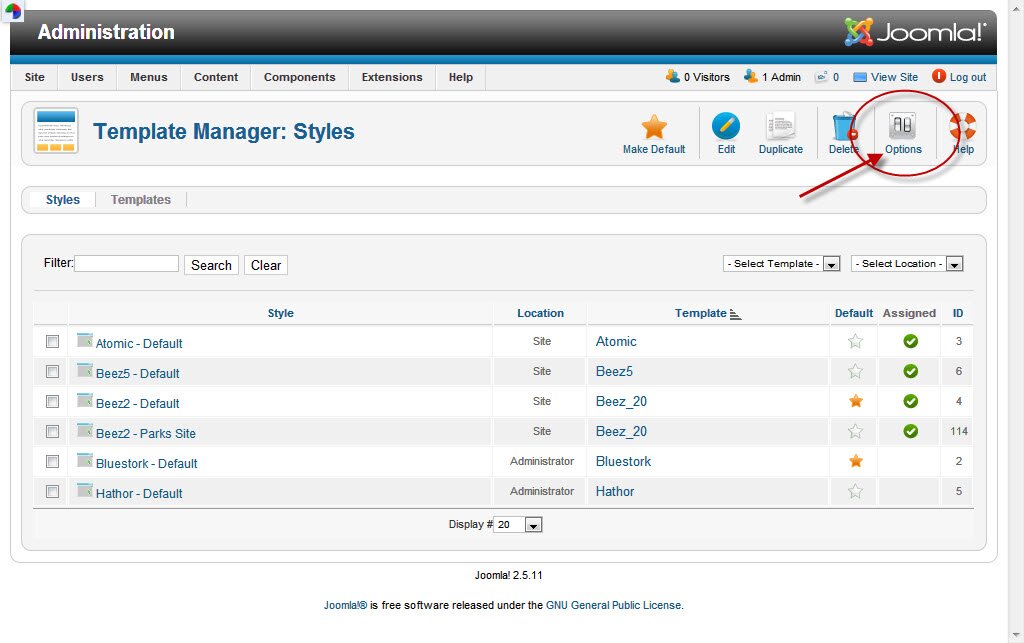
After clicking, you will see your website interface as this pictue. Then look at the menu and search "Option", then click it.
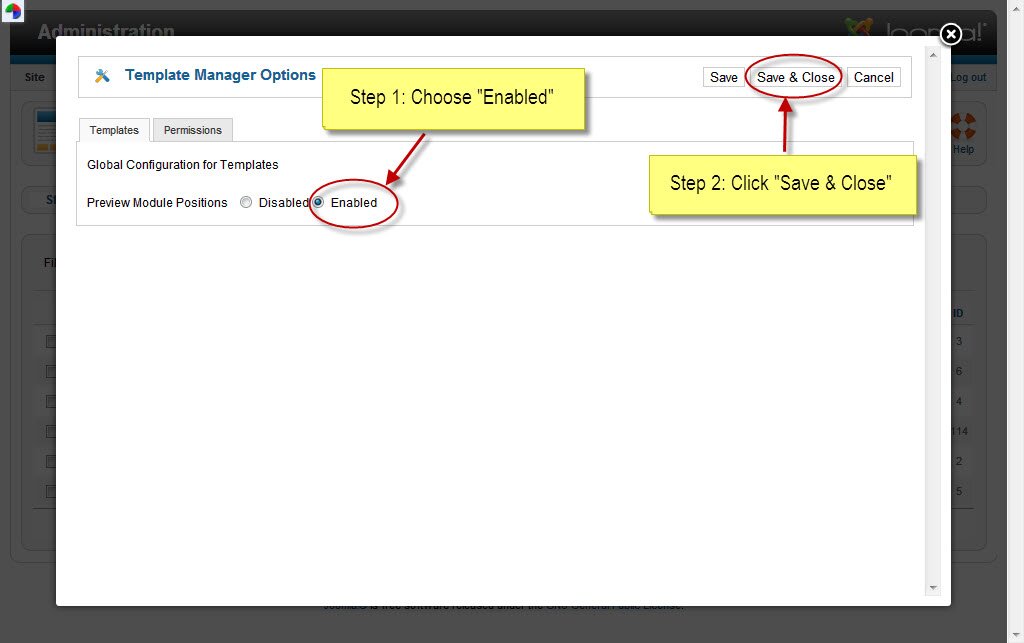
Step 3: After clicking "Option", do as this picture leads:
Step 4: Put "?tp=1" after domain name and enter, then you will see place of each modules