

How to setup quickstart?
After downloading templates, you need to setup quickstart to see demo of templates, example BUSINESS. There are some very simple steps as below (anyway you have to follow default step by step. These steps I list below are just more special than others) :
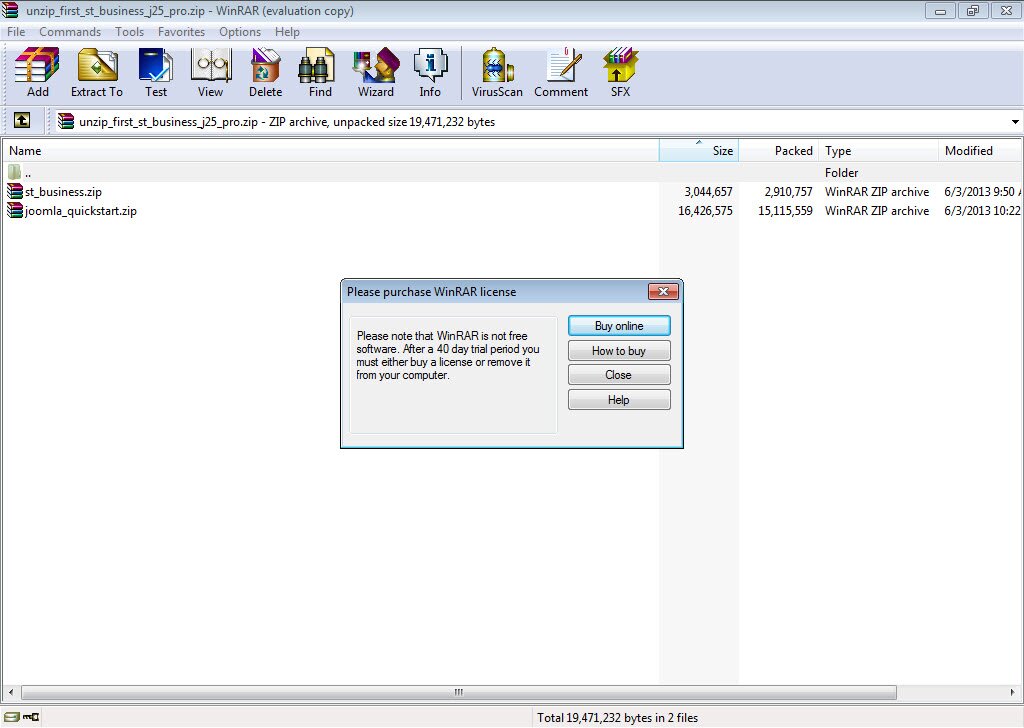
Step 1: Extract the file "joomla_quickstart.rip" and name it. In this case, I called it "quickstart2"
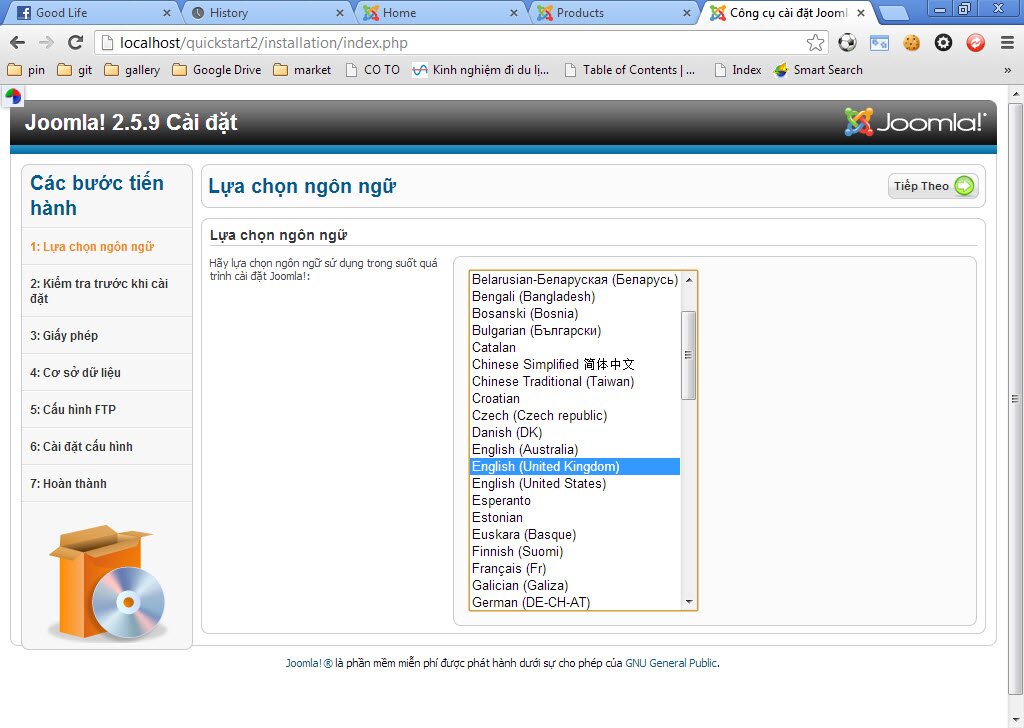
Step 2: Choose your language suitable to you and then click "Next"
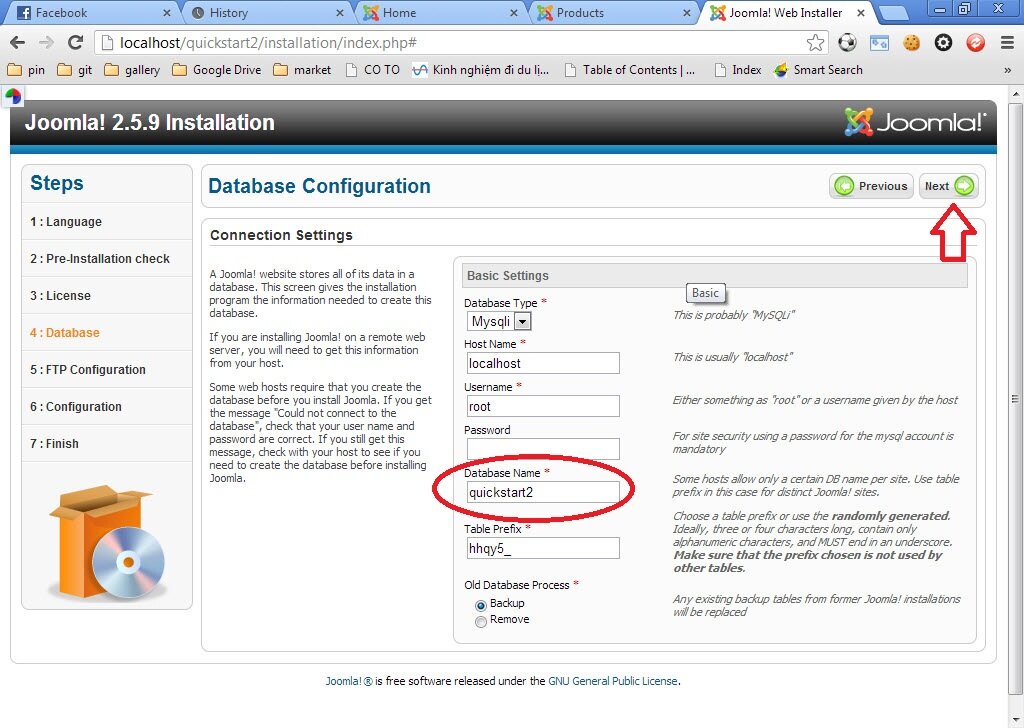
Step 3: Write your name folder in "Database Name" and then Click "Next"
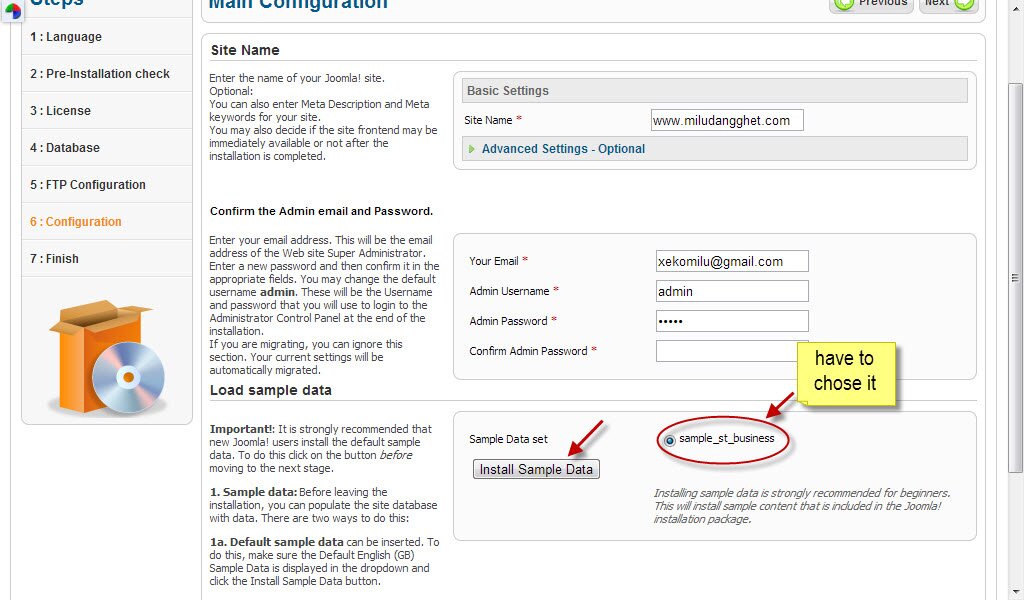
Step 4: For step 6 - Configuration, you have to chose "sample_st_business" and then Click "Install sample data"
Step 5: The lastest step to accomplish demo for template Business is to click "Remove installation folder
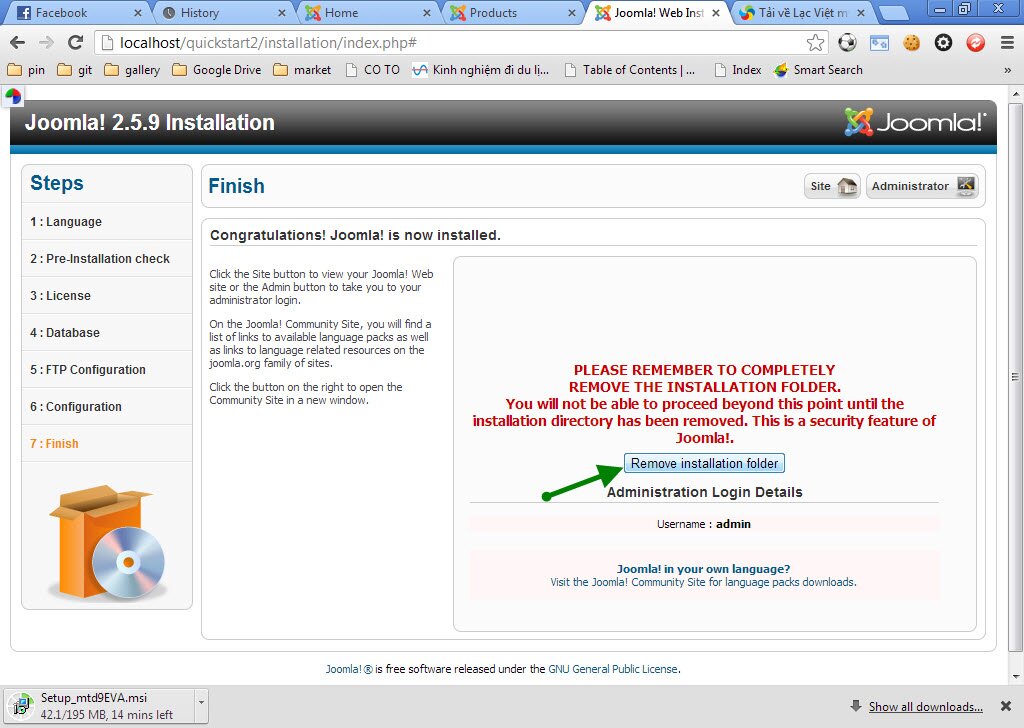
Finally, you click to "Site" and watch Business demo.