How to create main menu for the site
After setup a site from begin without quick start, we need to create modules for the site. In order to do this easily, you should setup quickstart (zip file downloaded in template) so that you can compare your clear site without any data and site with quickstart.
I still use example is our template "Birdsign", if you do not know how to setup a site from begin without template and how to setup quickstart, please check this link:
http://beautiful-templates.com/index.php/blog/106-how-to-setup-quickstart
So now, start to create menu module.
Step 1: Log in both of siteas an admin with address formula "localhost/your_name_folder/administrator.
Address to login site setup without quickstart: localhost/lamtudau25/administrator
Address to login site setup with quickstart: localhost/quickstart1/administrator
User and password for both are "admin"
Step 2: After loging in, do as these piture:
*
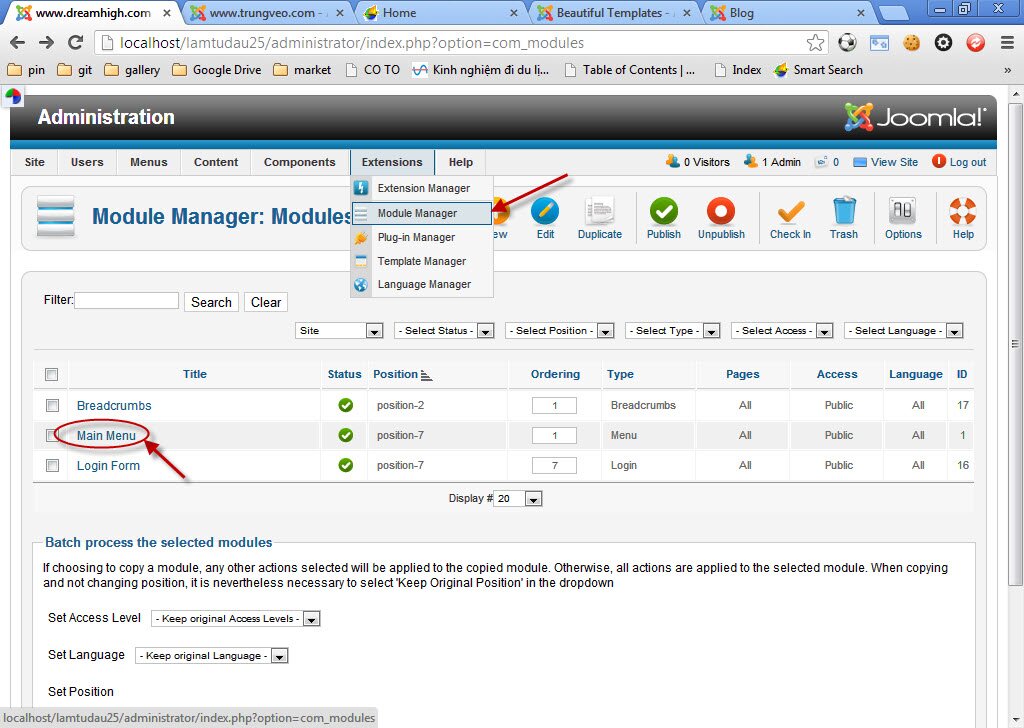
**
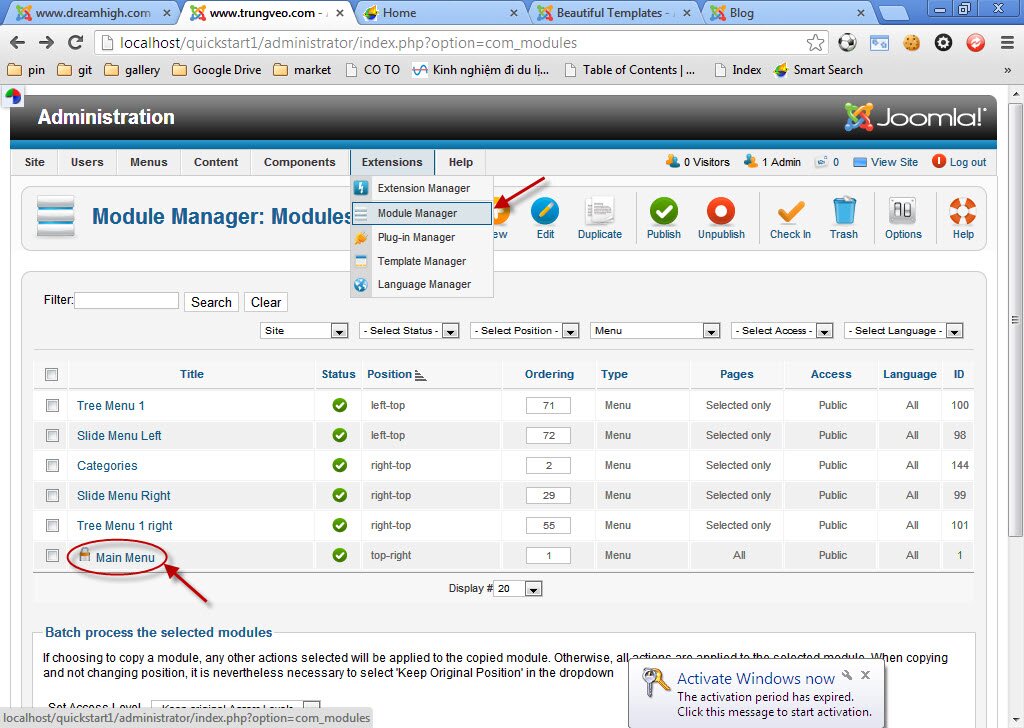
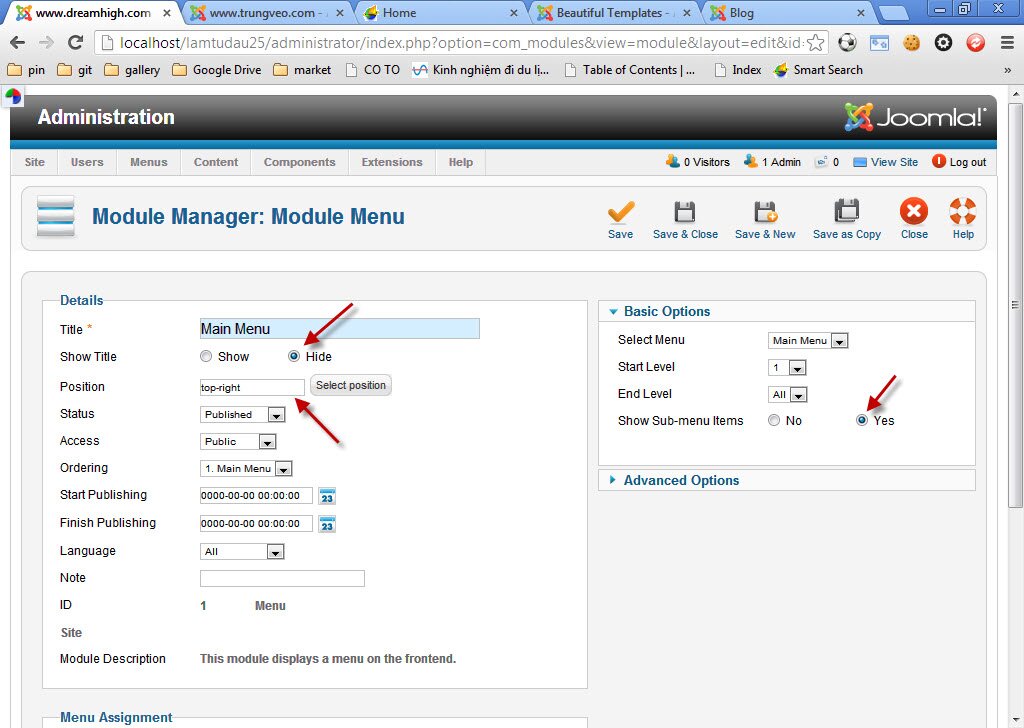
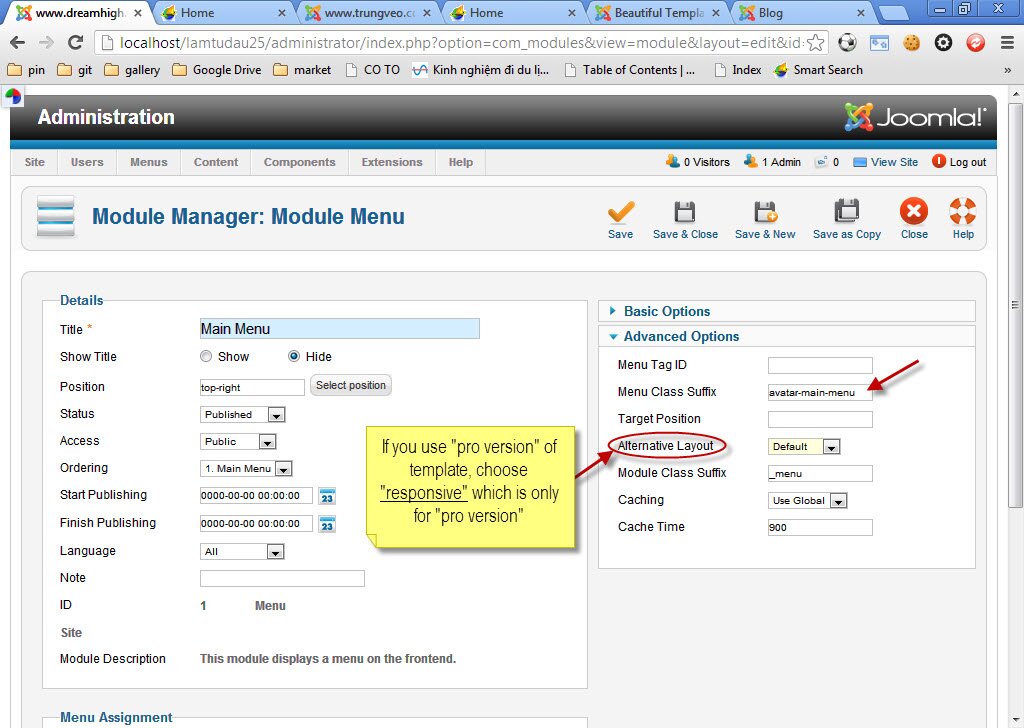
Step 3: After opening "Main menu" of both, you will see them like that:
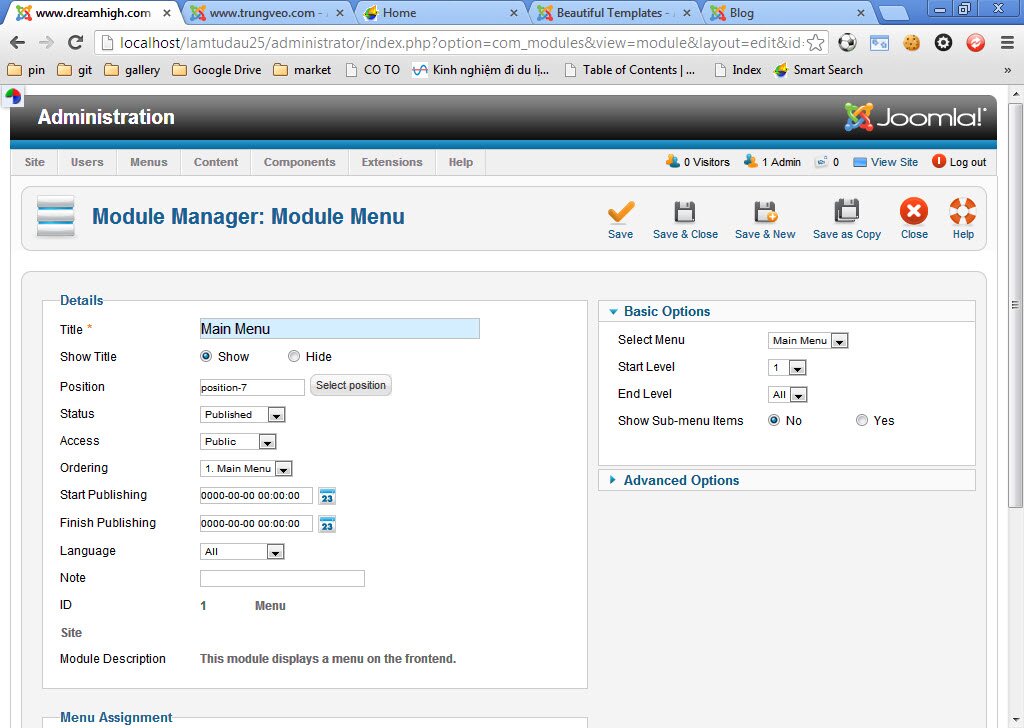
**
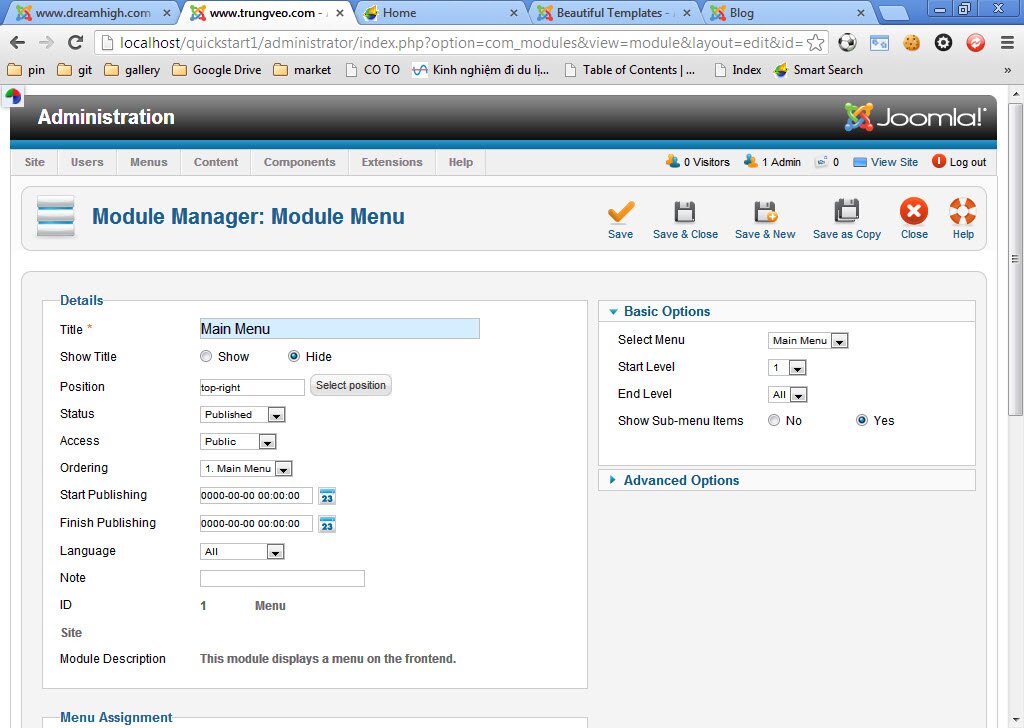
Then, fix information in "*" is totally same as "**" with directions of red arrows.